Independent software studio
Privacy-first software for Mac, iPhone, and the web.
YJLAB builds focused tools that respect your data: Explorer for Mac, a native file manager; YomiClaw, an on-device translator for traveling in Japan; lunashot, a planning tool for landmark photography; and Terminal MCP, a safe bridge between AI agents and Terminal.app.
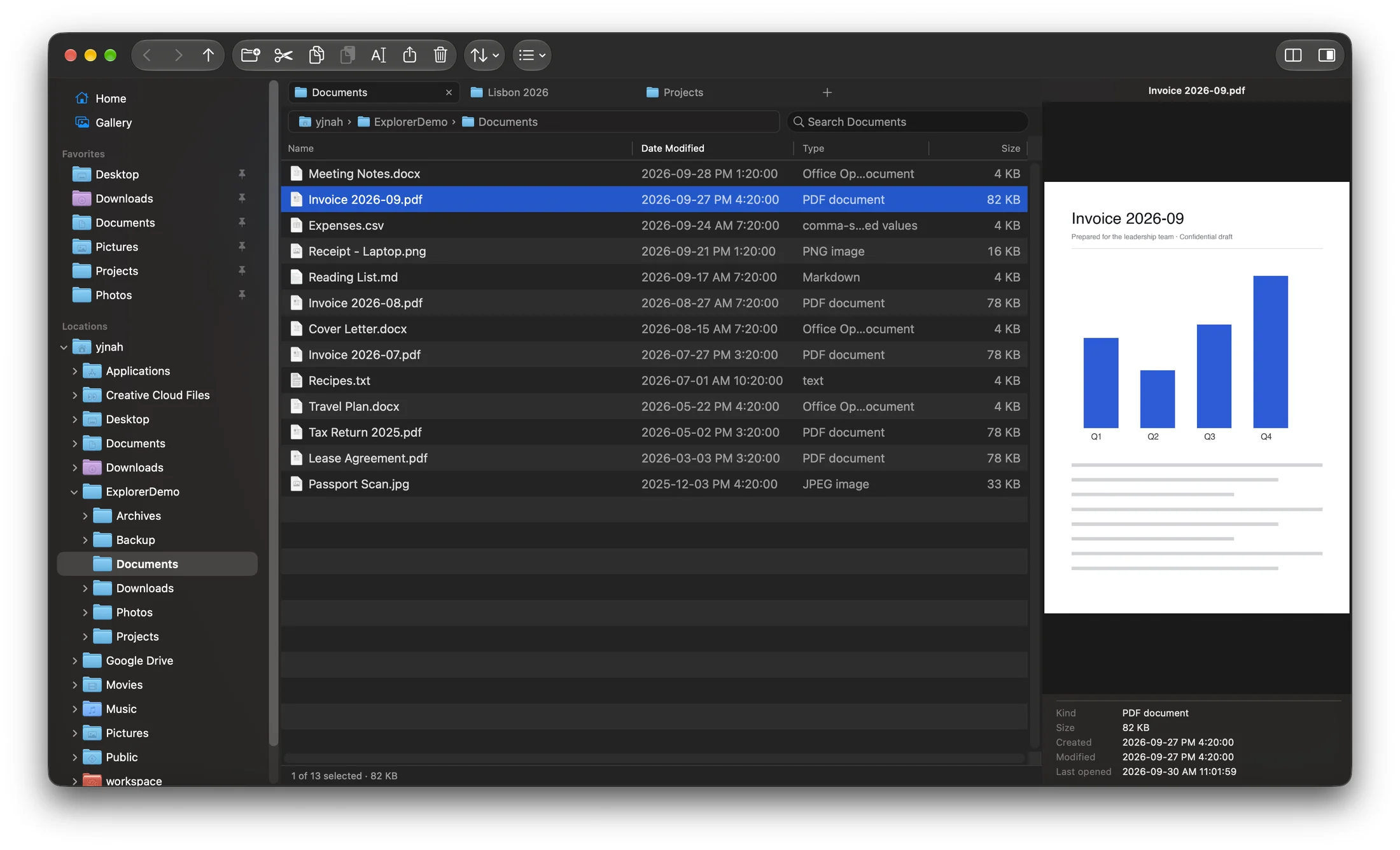
Explorer for Mac
A native macOS file manager for people who know Windows Explorer by heart — browse and manage files with the structure your hands already know.
- Persistent folder tree, tabs, and Favorites — the navigation Windows users expect
- Cut, copy, paste, and ⌘R rename — your Windows shortcuts just work
- Undo and Redo for moves, renames, deletes, and copies — ⌘Z / ⌘⇧Z
- Folder sizes right in the Details view — visible at a glance, sortable like any column
- File-safety-first design, fully offline, zero telemetry
YomiClaw
On-device translation made for traveling in Japan. Sentences never reach a server — they're processed right on your iPhone.
- On-device translation that works without internet
- Privacy-first design — your input never leaves the iPhone
- AI-powered reply suggestions and furigana readings
- Situational phrasebook for traveling in Japan

lunashot
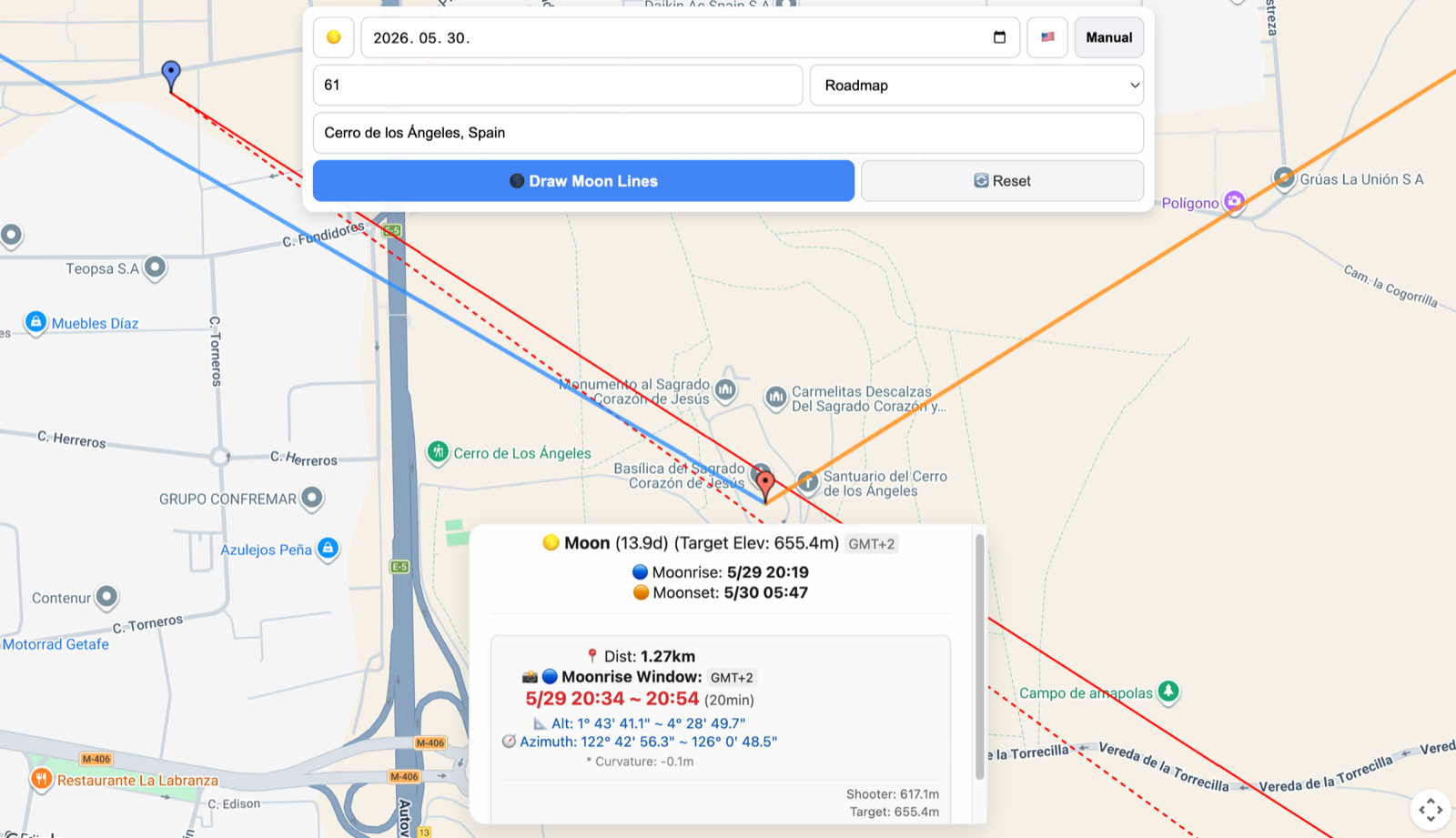
A planner for capturing the moon or sun rising over a landmark — it calculates when and where to shoot, in one place.
- One tool instead of juggling maps, ephemeris apps, and spreadsheets
- Direction and timing of moonrise and moonset past your landmark
- Finds the best shooting spots to line up the moon or sun with your target
Terminal MCP
A local MCP server that lets Claude and other AI agents drive Apple's Terminal.app — while you keep per-session control over what they can touch.
- Real Terminal windows and scrollback — no hidden shells
- Per-session permissions: block, read-only, or allow commands
- One-click pause stops all changes from the menu bar
- 100% local — no HTTP server, no cloud, zero telemetry
Privacy by default
Our apps process your data on your device. Nothing is collected, tracked, or sold — there is no telemetry to opt out of.
Native quality
Each tool is built for its platform with native frameworks — fast, lightweight, and at home on your device.
Focused tools
We build software that does one job exceptionally well, instead of platforms that try to do everything.